Top 10 AI Marketing Apps & Benefits – Power of Artificial Intelligence
2 years agoTop 10 Free AI Video Generation Tools: How to Write AI Video Prompts Like a Pro
45 minutes ago -
How to write AI video prompts is the biggest question, and AI video generation has moved from novelty to necessity. A single creator can now produce what used to require a film crew, for free. This guide covers the 8–10 best free AI video generators, how to make AI video, how each one works, and the exact prompt engineering techniques that produce professional results. Whether you’re making training videos, marketing content, or scaling video production, you’ll find the right free tool here.
Table of Contents
Why AI Video Generation Matters Right Now
Traditional video production costs thousands and takes weeks. You need a videographer, lighting, actors, a location, and editing expertise. For businesses scaling training, marketing teams testing creative variations, or content creators juggling multiple projects, that’s not practical.
AI video generation compresses weeks into hours and thousands of dollars into tens. A single person can now produce what used to require a small team. Teams can update training videos when policy changes without re-shooting. Marketing teams can test dozens of creative variations instantly. Companies can localize content into 160+ languages without hiring voiceover talent. So, learning how to write AI video Prompts is important.
How to Write AI Video Prompts That Actually Work
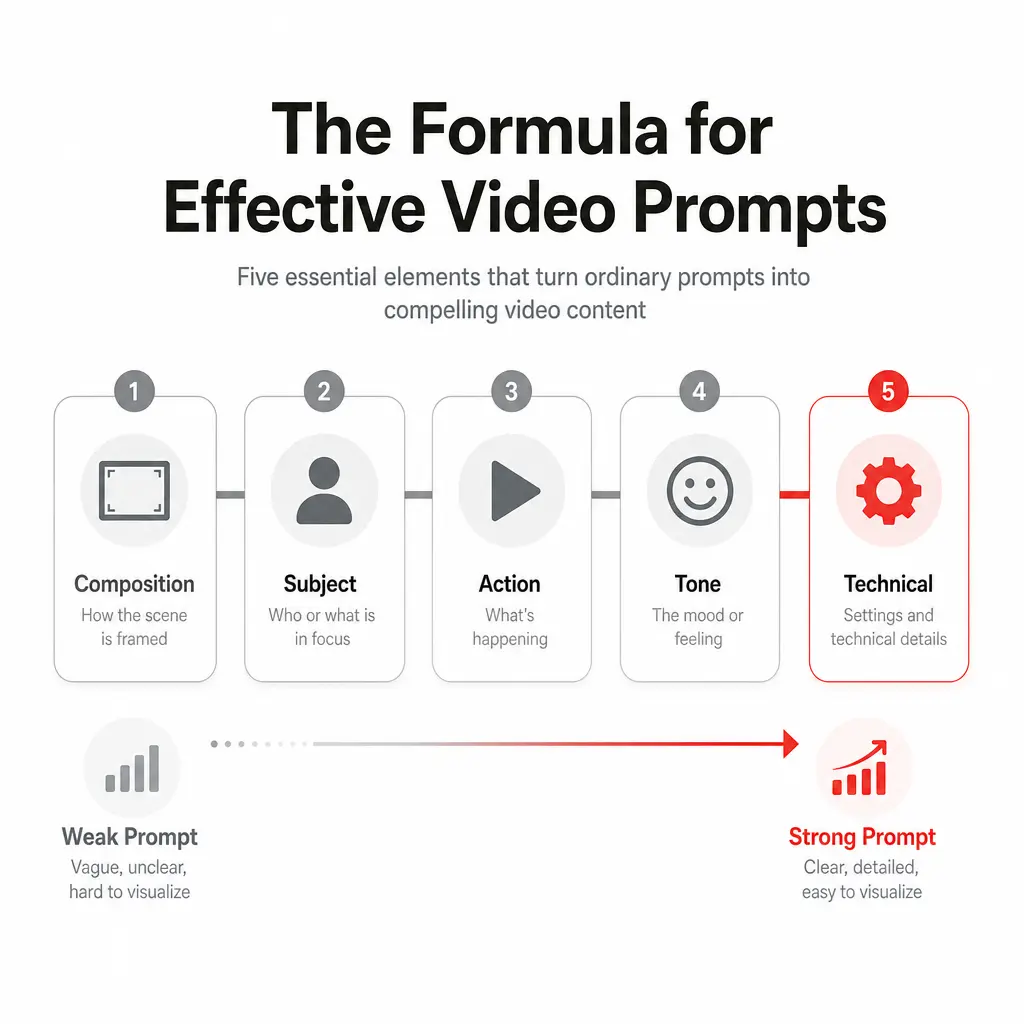
The difference between a mediocre AI video and a professional one is often in how to write AI video prompts. Here’s what separates effective prompts from the vague ones that waste credits:
The Formula: Composition + Subject + Action + Tone + Technical Details
Weak prompt:
“Make a video about marketing.”
Strong prompt:
“A 16:9 professional video showing a woman in business casual attire sitting at a modern desk with a laptop, speaking directly to the camera. She describes three key ways AI is changing marketing: personalization, speed, and cost savings. Each benefit appears as a clean text overlay. The background is a bright, modern office with soft natural light. Tone: confident, friendly, conversational. Duration: 60 seconds. Resolution: 1080p. Style: like a professional TED talk intro.”
Key Principles:
- Be specific about composition. Don’t say “office.” Say: “modern office with floor-to-ceiling windows, natural light from the left side, minimalist desk, MacBook Pro, coffee cup.”
- Name the subject and action. Who is on screen? What are they doing? “A woman in her 30s, wearing professional attire, sits at a desk looking at the camera while speaking” is clearer than “a person at a desk.”
- Describe tone and emotion. “Energetic,” “calm,” “authoritative,” “friendly,” “skeptical.” This guides the avatar’s expression and delivery.
- Include technical specs. Aspect ratio (16:9, 9:16, 1:1), duration (15s, 60s), resolution, frame rate. Tools interpret these differently; being explicit helps.
- Use reference points. “Like a TED talk intro,” “similar to Apple’s product videos,” “GoPro commercial style.” This anchors the tool to known visual languages.
- Specify diversity and inclusivity. Avatar appearance, gender, age, and ethnicity should be intentional, not left to default.
- Avoid contradictions. Don’t say “outdoor beach setting” and “modern office” in the same prompt. Stick to one coherent environment.
Prompt Iteration Tips:
- Start broad, then iterate: Generate a rough version, see what you get, refine the prompt based on what’s missing
- Change one thing per iteration: If you adjust composition, tone, AND duration in one prompt, you won’t know what caused the improvement
- Batch similar prompts: If you’re generating 10 marketing videos, use a template and swap out the specific message
- Build a prompt library: Save effective prompts for future use (they’re reusable across tools and projects)
Real teams that scale AI video aren’t perfecting single videos. They’re building templates, batch-generating variations, and cherry-picking the best. This hybrid human+AI approach is what’s winning.
Comparison of AI Tools for Video Generation
What’s remarkable is that the free tiers of these tools are actually useful. You’re not hitting a hard paywall after generating two test videos. Many free plans are genuinely production-ready if you understand the tools and how to write AI video prompts correctly.
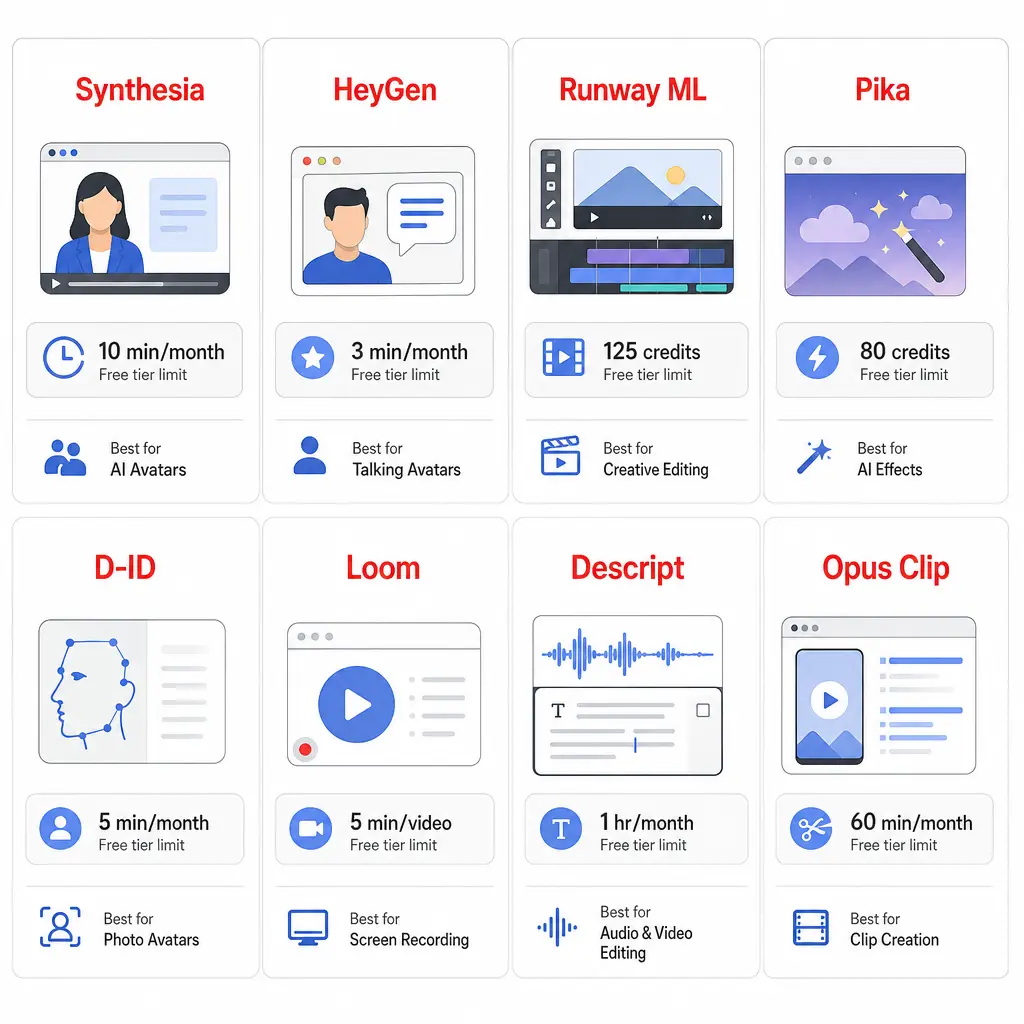
| Tool | Best For | Free Tier | No Watermark? | Best Feature |
|---|---|---|---|---|
| Synthesia | Avatar videos at scale | 10 min/month | No | 160 languages, SCORM export |
| HeyGen | Creators wanting variety | 3 videos/month | Yes | 500+ avatars, voice cloning |
| Runway ML | Advanced generation & control | 125 credits | Yes | Video-to-video transformation |
| Pika | Affordable text-to-video | 80 credits | Yes | Image-to-video, straightforward |
| D-ID | Budget avatar videos | 3-min trial | Yes | Video translation, cheap Lite tier |
| Loom | Screen recording & clips | 25 videos | Yes | Transcription, AI editing |
| Descript | Podcast repurposing | 1 hr/month | Yes | Transcript-based editing |
| Opus Clip | Short-form extraction | 90 credits | Yes | Automatic clip detection |
Getting Started: The Right Tool for Your Use Case
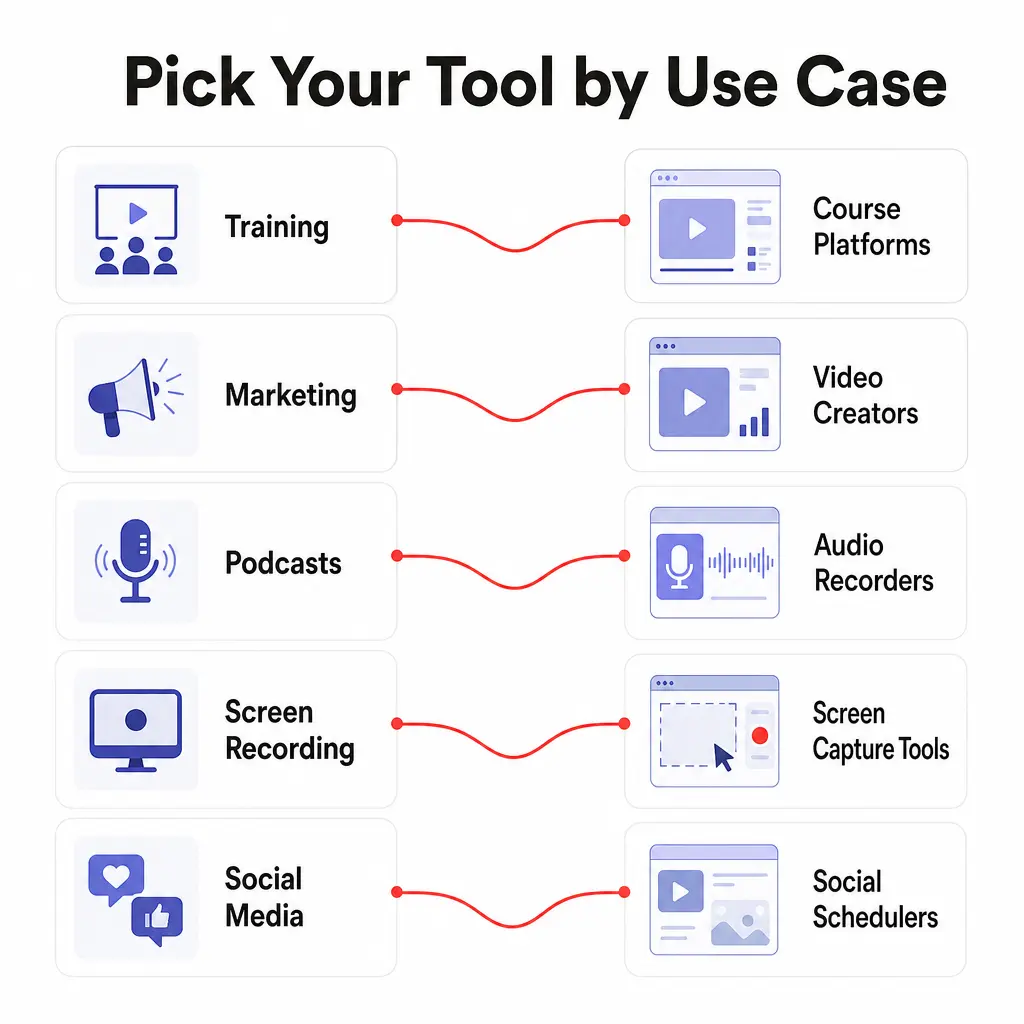
Training & Onboarding: Start with Synthesia (10 min free) or D-ID’s trial. Avatar videos are the fastest path to production.
Marketing & Social Content: Runway ML or Pika for creative generation; Opus Clip if you’re repurposing long-form content.
Internal Communication: Loom (25 free videos) for screen recording and quick tutorials.
Podcast Clips & Editing: Descript (free transcription + editing) for podcast editors; Opus Clip for automatic short-form extraction.
Testing & Learning: HeyGen’s 3 free videos or Pika’s 80 monthly credits are good experimental budgets.
The Future Is Hybrid (Not Fully Automated)
Here’s what actually works: template + human judgment + AI generation.
Successful teams aren’t trying to replace all video production. They’re using AI for high-volume, low-personalization content (training, bulk localization, B-roll). Brand-critical assets still get human attention. The best results come from smart humans using AI tools, not AI replacing humans.
The free tiers of these tools are genuinely useful because they’re not crippled. You get real features, real generation quality, real results. What’s free is the experimentation-the chance to test which tool matches your workflow before paying.
The tools exist. The free tiers work. The missing piece is often workflow: how to integrate video generation into your existing content pipeline, how to prompt effectively, and how to measure results.
That’s where we come in.
At Mysticrubs, we help brands and teams build sustainable video production systems using AI. Whether you’re generating training videos for 10,000 employees, localizing marketing content across regions, or scaling short-form content for social, we can help you pick the right tools, build the right workflows, and write prompts like a pro.
Let’s talk about your video strategy
- Top 10 Free AI Video Generation Tools: How to Write AI Video Prompts Like a Pro
- LinkedIn Lead Generation: The Complete Guide for Generating High-Quality Business Leads in 2026
- 22 Proven B2B Lead Generation Strategies for Nepal Businesses
- How to Use AI Tools for Your Marketing Strategy (Complete 2026 Guide)

Popular Post

![[2026 Updated] Top 10 Digital Marketing Agencies in Nepal Ranked!](https://mysticrubs.com/wp-content/uploads/2022/05/top-10-digital-marketing-company-in-nepal.png)





100% Best FREE SEO TOOLS 2025 for SEO Ranking
5 years ago