Top 10 AI Marketing Apps & Benefits – Power of Artificial Intelligence
3 years ago6 Free Best SEO Tools & Automated SEO Tools for Websites
3 months ago -
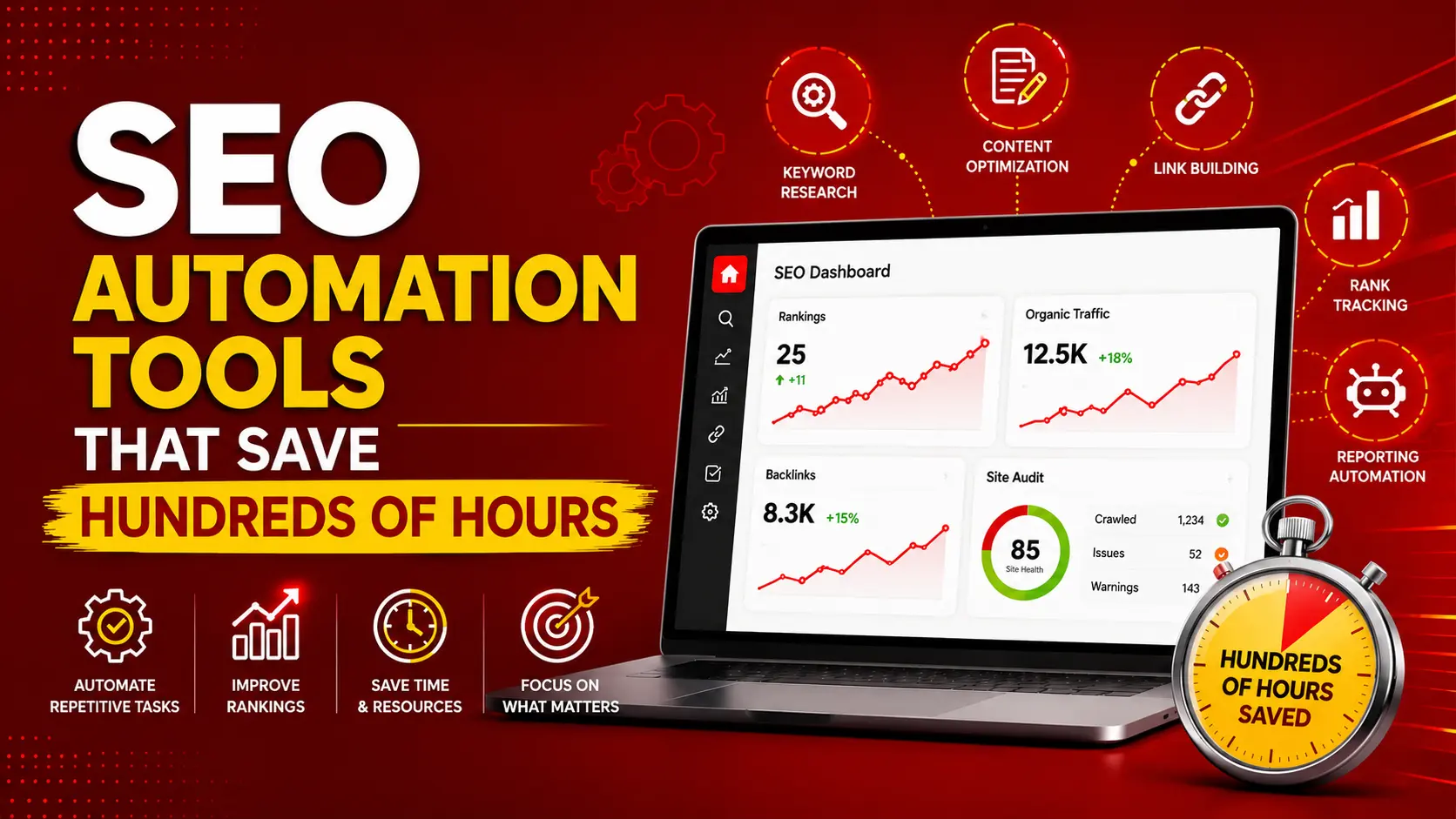
Quick answer: The best SEO tools depend on your goal. Google Search Console is one of the best free SEO tools for monitoring search performance, Screaming Frog is useful for technical SEO analysis, Google PageSpeed Insights helps analyze page experience, and platforms such as Semrush and Ahrefs provide broader keyword, competitor, backlink, and SEO research capabilities. For businesses and agencies, automated SEO tools can also streamline reporting, rank tracking, audits, and recurring monitoring.
Last month, a client asked me to audit a website with 100+ pages, refresh their meta titles, and flag every broken internal link before a Friday deadline. By hand, that job runs close to three working weeks. I shipped it in two afternoons. The difference was not talent or caffeine. It was a stack of SEO automation tools doing the repetitive parts while I handled the judgment calls.
The best SEO tools depend on what you need to improve: keyword research, technical SEO, on-page optimization, backlinks, website performance, rank tracking, reporting, or SEO automation.
In this guide, you’ll find the best SEO tools, the best free SEO tools, free SEO analysis tools, website SEO tools, and automated SEO tools- along with what each tool is best for, who should use it, and how to choose the right SEO tool for your business.
Table of Contents
What “SEO automation” really means (and what it doesn’t)

SEO automation is software that performs repetitive, rules-based SEO tasks without you triggering each step. Think scheduled audits, bulk metadata edits, automated rank checks, and outreach sequences that fire on their own.
It does not mean handing your strategy to a robot. Automation is strong at volume and consistency. It is weak at taste, positioning, and knowing which battle is worth fighting. The marketers who win treat these tools as leverage, not as a replacement for the person steering.
Here is the honest split:
- Automate repetitive tasks: crawling, data pulling, reporting, monitoring, bulk edits, follow-up emails.
- Keep human: topic strategy, brand voice, link relationship-building, the final yes or no on what ships.
Once you draw that line, choosing tools gets simpler. You are looking for software that eats hours, not software that promises to “do SEO for you.”
Where the hundreds of hours actually hide
SEO automation is software that performs repetitive, rules-based SEO tasks without you triggering each step. Think scheduled audits, bulk metadata edits, automated rank checks, and outreach sequences that fire on their own.
It does not mean handing your strategy to a robot. Automation is strong at volume and consistency. It is weak at taste, positioning, and knowing which battle is worth fighting. The marketers who win treat these tools as leverage, not as a replacement for the person steering.
People assume the time sink is content writing. It usually isn’t. The quiet hours disappear into tasks nobody puts on a timesheet:
- Pulling keyword data into a spreadsheet and clustering it by hand.
- Re-checking rankings across dozens of keywords and locations.
- Crawling a site after every release to catch what broke.
- Rebuilding the same client report every month.
- Chasing link prospects through a manual email chain.
Each of these is rules-based. Each repeats. Each is a candidate for automation. Add them across a quarter, and a single SEO can claw back 200 to 400 hours, which is the difference between serving five clients and serving twelve. The sections below tackle them in order of payoff.
Keyword research automation
Manual keyword research means exporting search terms, eyeballing intent, color-coding a spreadsheet, and grouping related queries one row at a time. For a mid-size site, that is a full day, sometimes two.
Automated keyword tools collapse that. They pull volume, difficulty, and SERP data in bulk, then group terms by semantic similarity so you get ready-made content clusters instead of a raw list. The good ones also surface the gap between what you rank for and what your competitors own.
What to look for:
- Bulk discovery: feed a seed term, get thousands of related queries with metrics attached.
- Intent tagging: informational, commercial, transactional, navigational, sorted for you.
- Automated clustering: queries grouped by how they actually appear together in search results.
This is where the pillar-and-cluster strategy stops being a whiteboard exercise and becomes a repeatable system. Our deeper walkthroughs cover automated keyword research tools, keyword clustering automation, and the AI-powered keyword gap analysis that finds the terms your rivals quietly rank for.
On-page SEO automation
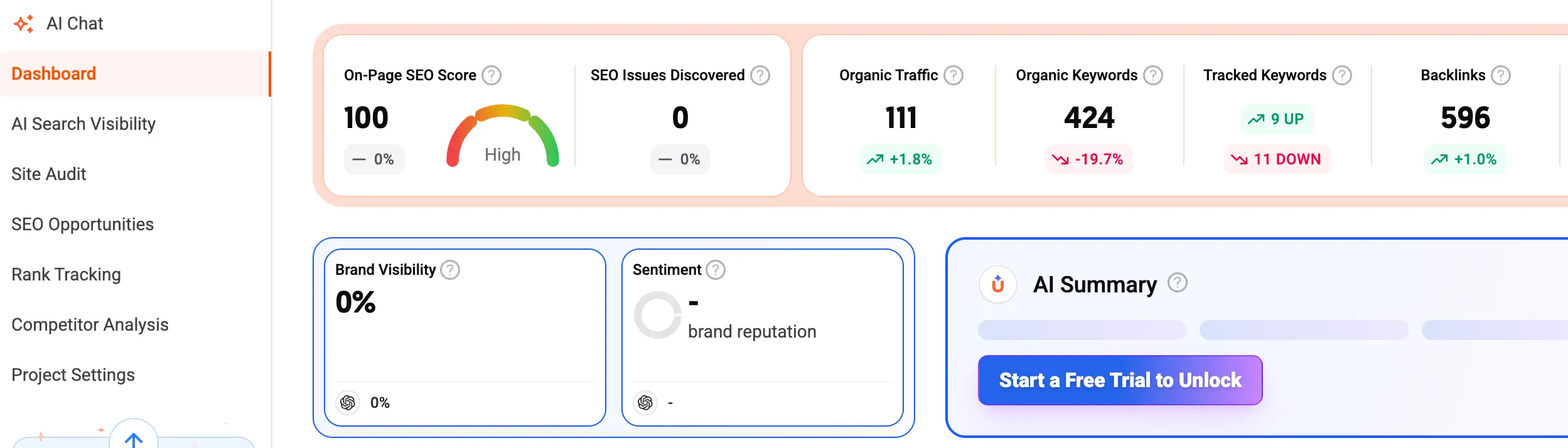
On-page automation tools fix that with batch operations and scheduled checks. Instead of opening each URL, you run an audit across the whole site, get a prioritized list of issues, and apply fixes in bulk.
The tasks worth automating here:
- Bulk metadata: generate or rewrite title tags and descriptions across hundreds of URLs from a template plus page data.
- Internal linking: surface orphan pages and suggest contextual links between related content automatically.
- Schema markup: apply structured data at scale so your pages qualify for rich results without hand-coding every one.
- Content optimization: score a draft against the top-ranking pages and flag missing subtopics before you publish.
I lean on automated internal linking tools for any site over a few pages, because internal links are the cheapest ranking lever most people ignore. For metadata at volume, bulk meta title and description generators turn a three-week project into an afternoon. And before anything goes live, automated content optimization software catches the gaps a tired editor misses.
Technical SEO automation
Technical issues are sneaky. A developer pushes a release, a canonical tag breaks, and your traffic bleeds for two weeks before anyone notices. The manual fix is to crawl the site, which nobody remembers to do until rankings drop.
Automation flips that. You schedule the crawl, set thresholds, and the tool emails you the moment something breaks. You move from firefighting to early warning.
The monitoring is worth setting up:
- Scheduled site crawls that run weekly and diff against the last version.
- Broken link detection that flags 404s and redirect chains as they appear.
- Core Web Vitals tracking so a slow page gets caught before it costs rankings. Google confirms Core Web Vitals are used by its ranking systems, with targets of LCP under 2.5 seconds, INP under 200 milliseconds, and CLS under 0.1.
- Sitemap and indexation checks confirm that Google can actually find your pages.
Set this layer once, and it pays you forever. Start with automated site audit crawlers for the baseline, layer in scheduled site health monitoring for the always-on alerts, and add Core Web Vitals monitoring tools if speed is your weak spot. The full picture lives in our guide to automated broken link detection.
Rank tracking and reporting automation
Two tasks eat agency time more than any other: checking rankings and building reports. Both are pure repetition, and both are fully automatable.
Rank tracking software checks your positions across keywords, locations, and devices on a schedule, then logs the history so you can show trend lines instead of single snapshots. Reporting automation pulls that data, plus traffic and conversions, into a branded dashboard your client can open whenever they want.
- Quickly build the report.
- Manual position checks across a long keyword list.
- The “can you send me the latest numbers” email, because the client has a live link.
Once a white-label SEO dashboard is wired up, the monthly report builds itself. Pair it with automated rank tracking tools for the position data and automated competitor monitoring, so you see a rival’s move the same week it happens, not at the next quarterly review. For sites where every drop matters, SERP change alert tools ping you in real time.
Link building automation
Link building is the category people are most nervous to automate, and they are half right. You should never automate the relationship. You can absolutely automate everything around it.
The repetitive parts of outreach are prospecting, finding contact details, sending the first email, and following up when nobody replies. Software handles all of that. You step in only when a real human writes back.
The safe automation here:
- Prospecting: pull lists of relevant sites that match your topic and authority filters.
- Outreach sequences: send personalized first touches and timed follow-ups automatically.
- Backlink monitoring: track new and lost links so you know when a placement disappears.
- Toxic link checks: flag spammy domains pointing at you and queue them for disavow.
The line to hold: automate the logistics, write the relationship by hand. Our playbook on automated backlink outreach tools covers sequence setup, while automated backlink monitoring, toxic link detection, and disavow automation keep your profile clean without weekly manual checks.
AI and workflow automation
The biggest time savings do not come from a single tool. They come from connecting tools so data flows between them without you copying and pasting.
This is where AI assistants and no-code platforms earn their keep. You can build a pipeline that pulls keyword data, drafts a content brief, checks the draft against competitors, and drops a task in your project board, all without a human touching a spreadsheet in between.
A few pipelines worth building:
- A new keyword cluster triggers an automatic content brief.
- A published post triggers an internal-linking suggestion and a schema check.
- A ranking drop triggers a Slack alert and a re-audit of the affected page.
- A new backlink triggers a thank-you sequence and a monitoring entry.
You do not need to write code for most of this. Connectors like Zapier and Make let you wire tools together with logic blocks. If you outgrow them, lightweight scripts against an API give you full control. Start with no-code SEO workflow builders, graduate to connecting SEO tools with Zapier and Make, and read up on AI SEO tools and assistants when you want a model drafting briefs and outlines for you.
What Is a Website SEO Tool?
A website SEO tool analyzes different aspects of a website that can affect its visibility in search engines. Depending on the tool, it may check technical SEO, keywords, backlinks, content, page speed, indexing, mobile usability, structured data, or search performance.
For a basic website SEO analysis, start with Google Search Console, Google PageSpeed Insights, and Screaming Frog. These tools can help identify indexing problems, performance issues, broken links, crawl problems, and other technical SEO opportunities.
For broader SEO optimization, platforms such as Semrush and Ahrefs combine keyword research, competitor analysis, backlink research, rank tracking, and site auditing in a single workflow.
The right website SEO tool depends on whether you need a technical audit, keyword research, content optimization, backlink analysis, or ongoing SEO monitoring.
6 Best Free SEO Tools for Website SEO
1. Google Search Console
Best for: Google search performance and indexing
If you install one tool today, make it this one. Google Search Console pulls data straight from Google about how your site performs in search: which queries you rank for, where you sit in the results, what’s indexed, and what’s broken. No third-party estimate- the real numbers from the source. In 2026, it also reports how your pages appear in Google’s AI Overviews, which matters now that a chunk of searches never produce a blue-link click.
How to use it: Open the Performance report, filter for queries where you sit in positions 8 to 20, and improve those pages first. Those are your fastest wins: content that already ranks and just needs a push.
The catch: It only shows your own site. You can’t spy on competitors, and the data lags a couple of days. It’s a monitoring tool, not a research tool.
Cost: Permanently free, no limits.
2. Screaming Frog SEO Spider
Best for: Technical SEO crawling
Auditing a site by hand means clicking through pages looking for broken links, missing titles, and redirect chains. It is soul-crushing on anything larger than a brochure site. Screaming Frog does it for you by crawling your site the way Google’s bots do and handing back a list of every technical issue it finds.
How to use it: Run a crawl before and after any big site change. Diff the two, and you’ll spot exactly what broke in a release before Google does.
The catch: The free version crawls up to 500 URLs. For a small business site or a blog, that ceiling is plenty. Larger sites will eventually need the paid license, but 500 pages covers most people reading this.
Cost: Free up to 500 URLs; desktop app for Windows, Mac, and Linux.
3. Google PageSpeed Insights
Best for: Website speed and Core Web Vitals
Page speed is not a vanity metric. Google confirms that Core Web Vitals are used by its ranking systems, with targets of LCP under 2.5 seconds, INP under 200 milliseconds, and CLS under 0.1. PageSpeed Insights checks all three for any URL and hands you a prioritized list of what’s slowing the page down.
How to use it: Test your five highest-traffic pages first. Fix the issues at the top of the list, because those move the needle most. Ignore the pressure to chase a perfect score; Google itself says that isn’t the best use of your time.
The catch: It checks one page at a time with no bulk testing or history on the free version. Pair it with Search Console’s Core Web Vitals report to see site-wide trends.
Cost: Free, no sign-up required.
4. Ubersuggest
Best for: Beginner-friendly keyword research
Every content plan starts with keyword research, and this is where paid tools usually gatekeep the hardest. Ubersuggest gives you a workable free slice: enter a seed keyword and get search volume, difficulty, related terms, and content ideas, plus a peek at what competitors rank for.
How to use it: Start with a broad seed term in your niche, then mine the “related keywords” and question-based suggestions. Those long-tail questions are gold right now because they map directly to how people phrase queries to AI answer engines.
The catch: The free plan limits how many searches you get per day, so it nudges you toward the paid version. Do your research in focused batches rather than idle browsing and the free allowance goes further.
Cost: Freemium, with a capped number of free daily searches.
5. Bing Webmaster Tools
Best for: Bing indexing and search performance
Search Console’s overlooked cousin. Bing Webmaster Tools does for Bing what GSC does for Google: indexing status, keyword data, crawl errors, and site health, all free. Most SEOs skip it because Bing’s search share is small.
Here’s why it earns a spot in 2026 anyway. ChatGPT Search uses Bing’s index as its data source, so if you want your content eligible to surface inside AI answers, Bing needs to be able to crawl and index it. Setting this up is a fifteen-minute job that opens a discovery channel most of your competitors are ignoring.
How to use it: Import your site directly from Google Search Console to skip manual setup, then submit your sitemap so Bing indexes you fast. Check the indexing report to confirm your key pages are actually in.
The catch: Bing’s own search traffic is modest. Treat this as an AI-visibility and indexing play, not a primary traffic source.
Cost: Free, no limits.
6. Google Analytics
Best for: Traffic and conversion analysis
Use Google Analytics to understand organic traffic behavior, engagement, conversions, and other website performance metrics.
best free SEO tools → free SEO analysis tools → website SEO tool → SEO optimization tools
How to build an SEO automation step that fits you
The mistake most people make is buying an all-in-one platform before they know which hours they want back. Pick the pain first, then the tool.
A simple way to choose:
- List your repetitive tasks for a week. Write down how long each takes.
- Rank them by hours times frequency. A two-hour task you do weekly beats a six-hour task you do once a quarter.
- Automate the top two first. Prove the time savings before you expand the stack.
- Connect tools only after each works alone. A broken pipeline is worse than no pipeline.
Your needs also depend on scale. A solo consultant wants cheap, fast, low-maintenance tools. An agency wants white-label reporting and seat management. An in-house team wants deep integration with their existing data. We break this down by situation: SEO automation tools for small businesses, SEO automation tools for agencies, and SEO automation tools for enterprise teams.
Budget matters too. Plenty of high-value tasks run on free tiers, and you only pay once volume forces the upgrade. Compare the trade-offs in our guide to free vs paid SEO automation tools, and use the SEO automation tools pricing guide before you commit to an annual plan.
You don’t need all five running from day one. Layer them:
- Set up Google Search Console and Bing Webmaster Tools so both search engines can see and monitor your site.
- Run Screaming Frog to catch every technical issue in one pass, then fix them.
- Check your top pages in PageSpeed Insights and clear the speed problems that cost rankings.
- Use Ubersuggest to find your next batch of keywords worth writing about.
That sequence takes an afternoon to set up and then runs largely on its own. Search Console and Bing keep monitoring, and you only re-run the crawl and speed checks after changes. It is a real workflow, not a pile of extensions you forget you installed.
Are There AI SEO Automation Tools for Service Businesses?
Yes. AI SEO automation tools can help service businesses automate parts of keyword research, content planning, on-page optimization, local SEO monitoring, reporting, and performance analysis.
For example, a digital marketing agency, dental clinic, law firm, real estate company, consultant, or home-service business can use AI-assisted SEO workflows to:
- Find service-related keywords and questions.
- Group keywords by search intent.
- Create content briefs.
- Identify missing topics on existing pages.
- Monitor keyword rankings.
- Find technical SEO problems.
- Generate recurring SEO reports.
- Identify pages that need updating.
- Monitor competitors.
- Suggest internal links.
However, AI should support the SEO workflow rather than replace strategic judgment. Google says its generative AI search features continue to rely on foundational SEO and people-first content practices.
Also Read: B2B Lead Generation
How to Choose the Best SEO Tool
Use five categories:
1. Your SEO goal
Are you trying to:
- Find keywords?
- Fix technical SEO?
- Improve content?
- Monitor rankings?
- Build backlinks?
- Analyze competitors?
- Automate reports?
2. Your website size
A 20-page website doesn’t need the same stack as a 10,000-page ecommerce website.
3. Your experience
Beginner → simple tools.
Professional → advanced platforms.
Agency → automation + reporting + multi-site management.
4. Your budget
Free → Google Search Console, PageSpeed Insights, Bing Webmaster Tools, etc.
Paid → advanced keyword, competitor, backlink, and automation platforms.
5. Automation requirements
Ask:
What SEO task am I doing repeatedly that a tool could perform automatically?
That’s a much more useful question than:
“Which SEO tool is the best?”
FAQs
Can SEO be fully automated?
No. Automation handles the repetitive, rules-based work well, but strategy, brand voice, link relationships, and final editorial decisions still need a human. The best results come from automating the grind and keeping judgment manual.
How many hours do SEO automation tools actually save?
The time savings depend on the number of websites, keywords, reporting requirements, and repetitive tasks being automated.
Are free SEO automation tools any good?
Yes, for many tasks. Free tiers handle smaller sites and lower volumes well. You usually upgrade only when site size, keyword count, or reporting needs exceed the free limits. See our free vs paid comparison for where the lines fall.
Which free SEO tool should I start with?
Google Search Console. It is permanently free, pulls data directly from Google, and shows you exactly how the search engine sees your site. Set it up before anything else.
Do free SEO tools help with AI search visibility?
Some do. Google Search Console now reports how your pages appear in AI Overviews, and Bing Webmaster Tools matters because ChatGPT Search draws on Bing’s index. Getting indexed properly in both is the foundation for AI visibility.
Will Google penalize automated SEO?
Not for automating your own workflow. Since a March 2024 update, Google’s spam policies judge content by intent and value, not by whether a human, a tool, or both produced it. Automated audits, reporting, and clustering are safe. The risk sits with scaled content abuse, generating pages at volume to manipulate rankings, which can trigger demotion or full removal from search results (Google Search blog, March 2024).
- How to Learn Digital Marketing Online FREE – Get Certified
- What Is Viral Marketing? Strategy, Examples & the 2026 Playbook
- 6 Free Best SEO Tools & Automated SEO Tools for Websites
- How to Write AI Video Generation Prompts Like a Pro?

Popular Post

![[2026 Updated] Top 10 Digital Marketing Agencies in Nepal Ranked!](https://mysticrubs.com/wp-content/uploads/2022/05/top-10-digital-marketing-company-in-nepal.png)
What Are the Types of SEO in Digital Marketing?
3 years ago




100% Best FREE SEO TOOLS 2026 for SEO Ranking
5 years ago